What Homeglass does.
Describe a widget, bring your own data, and schedule every change. Here is each part, in the app.
Bring your own data.
Paste a link to anything that answers with JSON or CSV: an API, a sales spreadsheet, a home dashboard. Homeglass turns it into a widget that updates itself.
Test the link, tap the values you want to show, add a total or a chart, and it is on your Home Screen. Your keys are stored encrypted, and the AI never sees your address or key.
Right widget, right time.
Choose when your widget changes: a new look at night, a different widget at work, a different list each weekday. It happens on the minute, even when the app is not open.
Change the look, the widget, the parts, the words or the data. Drag the preview slider through the day to see what shows when.
Say it, see it.
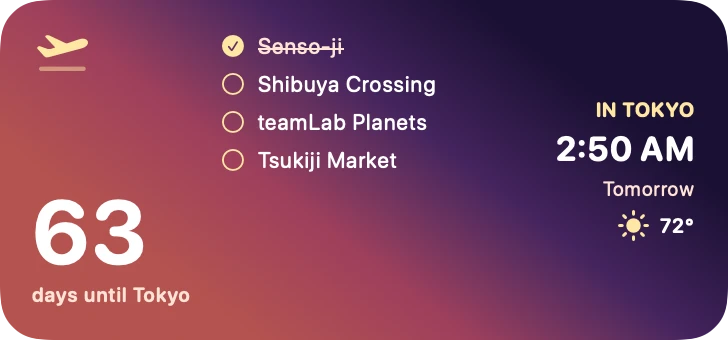
“My next three meetings and the weather.” Your widget is ready in seconds, and you can change anything after.
Homeglass works out which data the widget needs, asks you to allow it, and draws a live preview before anything reaches your Home Screen.
Make it yours.
Start from a gallery design, then try it in eight looks. Change the words, the look and the data.
Your apps, connected.
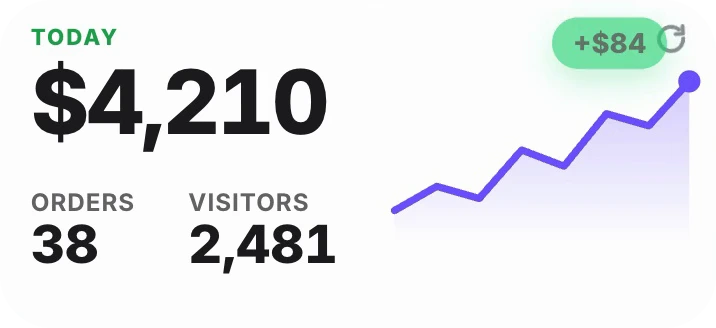
Connect Stripe, GitHub, Linear or Google Analytics and keep the numbers you check all day on your Home Screen.
Calendar, Reminders, Health, Weather, Photos and RSS work too. Apple data is read on your iPhone.






Read-only, always. Homeglass can't send, change or delete anything in your apps.
A different list every day.
Pick a Reminders list for each weekday. Your widget shows the right one each morning, and tasks tick off right from the Home Screen.
More about schedulesPrivate by design.
Calendar, Reminders, Health, location and Photos are read on your iPhone and never sent to us. Health data never goes to any AI. No ads and no tracking.
Read the privacy policyDescribe it. It's built.
Coming soon to the App Store. For iPhone with iOS 27 or later.